Modernizing Back-Office FinTech Tooling for Maximum Operational Efficiency

A FinOps operational specialist using PayDesk to investigate a transaction issue.
Overview
PayDesk is an enterprise back-office platform designed for Financial Operations (PayOps) teams to diagnose, manage, and resolve payment lifecycle issues for travelers and partners at scale.
Problem
Prior to this initiative, PayOps workflows were fragmented across legacy tools and manual processes, introducing high operational risk, compounded by the upcoming deprecation of legacy SAP tooling.
Goals & success metrics
The objective was to execute a seamless lift-and-shift into PayDesk with zero disruption to daily operations:
My role
Led the end-to-end design strategy to migrate legacy financial tools into PayDesk, collaborating with a Product Manager, an Engineering Manager, and 4–5 Engineers to eliminate context switching while respecting agents' mental models.
Confidentiality note: To respect my non-disclosure agreement, I’ve omitted sensitive information, anonymized company and product names, and adjusted figures to protect confidential data.
Discovery
To define our MVP, we needed to understand the current FinOps tooling landscape and map the end-to-end agent experience. We set out to answer three fundamental questions:
Discovery questions
- Q1: What capabilities exist today in our legacy SAP landscape?
- Q2: What does the full agent journey look like step-by-step?
- Q3: What do CS Finance agents really need at each stage to make this process seamless?
To answer these questions, we conducted the following activities:
Activity #1: AI-assisted desk research
I audited legacy SAP systems using internal knowledge bases and AI tools to catalog existing capabilities and map the current-state UX workflow.
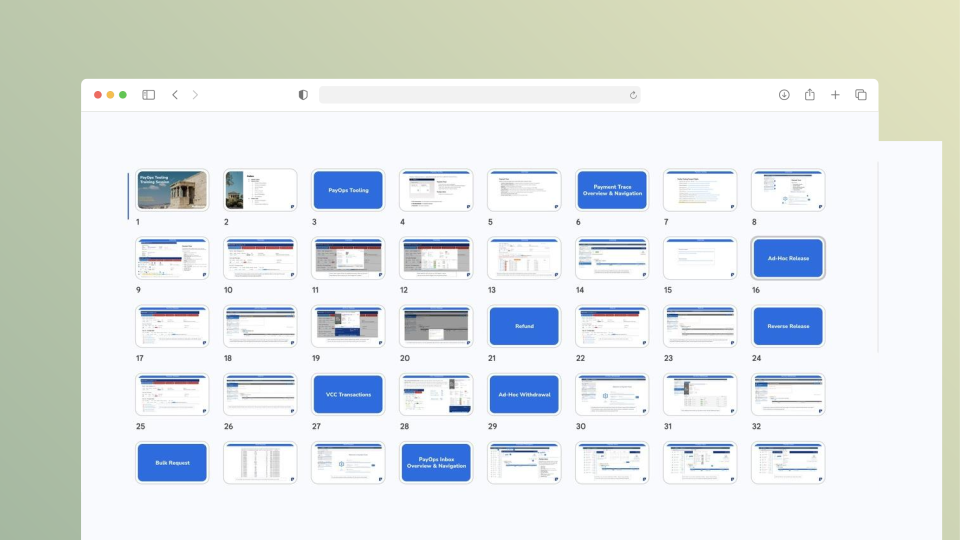
UX audit: Overview of the current-state UX audit.
Activity #2: FinOps user interviews
Partnering with the Product Manager, I interviewed CS Finance agents to understand how they navigate these features daily and pinpoint friction in their actual workflows.
Activity #3: Centralizing the Data
To maximize the value of these insights, all raw discovery data (including transcripts, PRDs, and research notes) was compiled into a single structured document. This allowed us to leverage AI querying to instantly analyze patterns, synthesize feedback, and validate requirements on the fly.
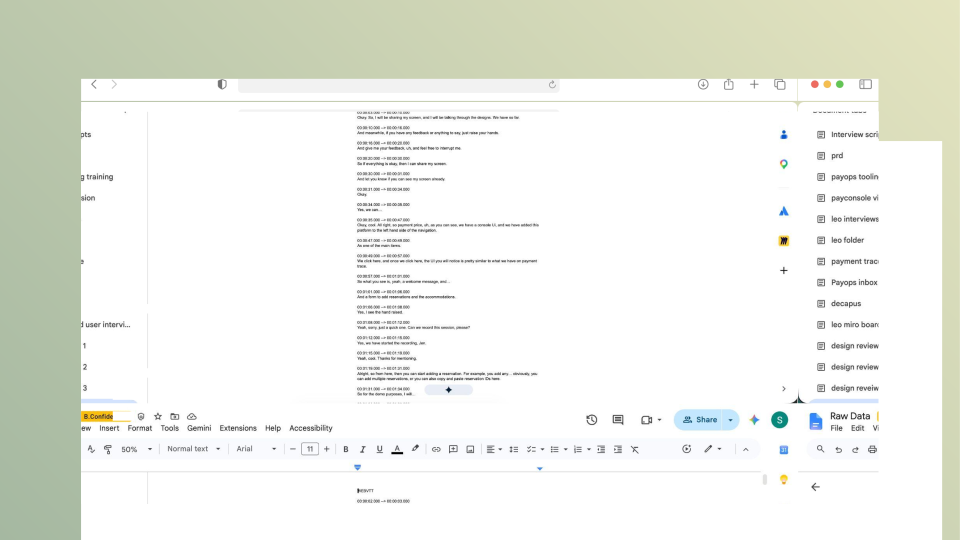
Discovery data consolidated into a single structured document for AI querying.
Strategy
To translate our discovery findings into a meaningful strategy, we mapped the end-to-end workflow of our finance support agents.
CS Finance: User journey
By mapping the CS Finance user journey, we translated each phase of the troubleshooting lifecycle into the core must-have features required for PayDesk's MVP:
Receive escalation
Cases arrive via external ticketing platforms (Zendesk, TED, or PEGA).
User need
- Direct deep-linking between ticketing systems and PayDesk because agents lose time and critical context manually copying case identifiers between tools.
Cross-linking MVP
- Deep-link original ticketing systems directly to PayDesk to preserve case context and eliminate manual navigation.
Investigate the issue
Agents look up bookings or financial transactions using various identifiers, and inspect the money paper trail.
User need
- Flexible multi-parameter search and unified payment and reservation details because disconnected information across multiple platforms forces context switching and wastes time.
Multi-parameter search MVP
- Supported query types: Reservation ID, PSP transaction ID, asset ID
- Input methods: Single lookup, bulk-pasting IDs, and CSV file upload
Comprehensive reservation details MVP
- Guest financials: Payment and refund history
- Partner financials: Payout and VCC history
- Metadata: Reservation and partner profile details
Apply financial action
Agents execute financial resolutions, such as guest refunds, releasing partner funds, or reversing payouts in fraud cases.
User need
- A single workspace for key financial actions because using separate touchpoints to process refunds or release payouts creates friction and delays resolution.
Financial actions suite MVP
- Refunds & fraud: Process guest refunds and trigger blocklists or cancellations
- Payout controls: Release, reverse, or adjust partner funds
- VCC management: Card state controls and activation schedules
Governance & approval
High-risk or loss-making actions require managerial review before execution.
User need
- A dedicated inbox to filter, approve, and track financial requests in real time while generating audit exports for compliance.
PayOps inbox MVP
- Approval queue: Two-pane interface for reviewing pending financial requests
- Custom views: Saved filters to categorize requests by date, type, status, or priority
- Audit exports: CSV data exports for weekly reporting and compliance tracking
Close loop
Agents record the resolution in the origin ticketing platform and resolve the case.
User need
- Automatic audit logging synced to source tickets because manual resolution recording in external platforms is slow, redundant, and weakens compliance tracking.
Audit logging & case return Deprioritized
- Automated sync: Push PayDesk resolution status back to external ticketing systems (Zendesk, TED, PEGA)
- Compliance & audit: Generate immutable background event logs for end-to-end tracking
Feature prioritization
To define the core MVP architecture, I facilitated a feature prioritization workshop with engineering and product leads. We evaluated legacy capabilities based on their operational impact and daily frequency of use, mapping them into a simple "release 1, release 2…" matrix.
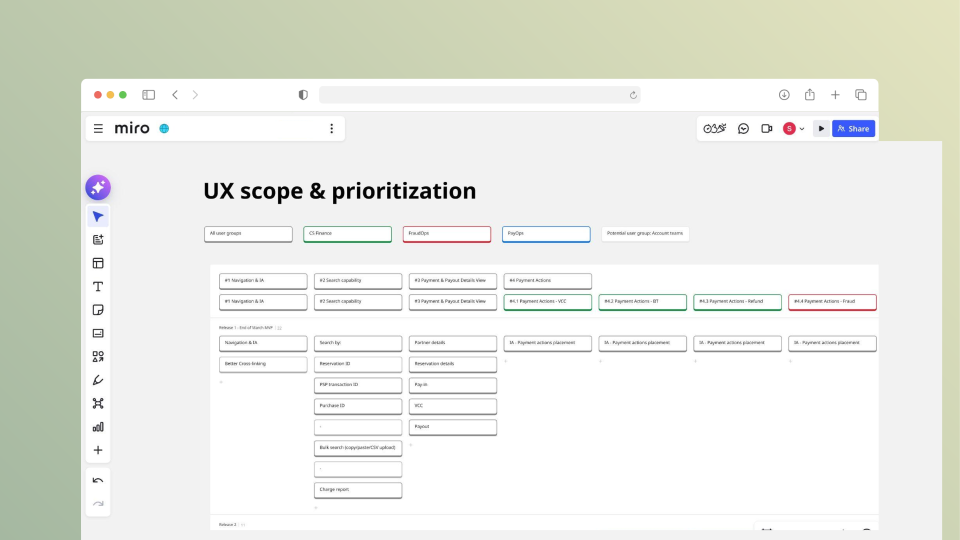
Prioritization workshop: Release matrix from the prioritization workshop.
Execution
I built interactive prototypes with Claude Code to quickly validate data-heavy UI patterns. This eliminated hours of tedious Figma layout work, accelerated design iteration, enabled reviews with internal CS and Finance teams, and made the transition to engineering handoff much smoother.
Search
CS Finance agents can search by pasting multiple reservation or asset IDs directly, or by uploading a CSV file for bulk operations.
.svg)
.svg)
.svg)
View Details
Executing a search populates matching reservations in the left sidebar, defaulting to the first item. The main pane displays key payment details, partner details, and reservation details for the selected reservation.
.svg)
.svg)
.svg)
.svg)
Apply Financial Action
Agents can select multiple reservations from the panel to initiate bulk financial actions, complete required fields, and submit for processing.
.svg)
.svg)
.svg)
.svg)
Inbox & Approval Workflow
Submitted requests route directly to the manager inbox for review and approval. Managers can customize views using filters for request types, status, and custom date ranges.
.svg)
.svg)
.svg)
.svg)
.svg)
Delivery & handoff
Deliverables included interactive code prototypes, complete screen-flow diagrams, and developer documentation in FigJam to support implementation and ensure a smooth handoff to engineering.

End-to-end screen flows with implementation notes for engineering.
Results & reflection
Qualitative Feedback
- Reduced Context Switching: Specialists reported an estimated 20–30% decrease in task switching due to fewer tab toggles and consolidated workflow steps.
- Preserved Familiarity: The modernized interface retained legacy mental models while removing unnecessary context switching.
“The new designs feel much cleaner. Everything is easier to scan and understand without losing the information we need.”— FinOps Specialist
Quantitative Metrics
- Status: Quantitative post-launch metrics are still being collected.
Key learnings
- Design through code: Early code-based prototyping with Claude Code accelerated feedback cycles and aligned design with engineering execution.
- Scope creep: Navigating enterprise complexity required strict prioritization of immediate user needs over edge cases to deliver a sharp MVP.