Designing a CMS for Live Sports Streaming
Overview
A B2B platform that enables host broadcasters, such as Olympic Broadcasting Services (OBS), and rights-holders to create and deliver interactive sports content to their audience.
Opportunity
The idea was to build a white-label CMS that enabled rights-holders to easily configure, stream, and monetize Olympic sports content.
Goals and success metrics
The vision was to position its white-label sports streaming platform alongside industry leaders like YouTube, Twitch, and Netflix.
Success Metrics:
- Fast adoption and onboarding of new broadcast clients.
- High operator efficiency and fewer errors during live events.
My role
I led the end-to-end design strategy for the CMS MVP, working closely with a cross-functional team of Product Managers and Engineering Team. I drove user research synthesis, roadmap prioritization, and the complete UX design execution from discovery through delivery.
Confidentiality note: To respect my non-disclosure agreement, I’ve omitted sensitive information, anonymized company and product names, and adjusted figures to protect confidential data.
Discovery
To define our MVP, we needed to understand the commercial live streaming domain and map the end-to-end operator experience. We set out to answer three fundamental questions:
Discovery questions
- Q1: How does the live streaming platform work technically and commercially?
- Q2: What does the full daily workflow look like for sports data operators?
- Q3: What are their key jobs-to-be-done, and what do they need to accomplish them?
To answer these questions, we conducted the following activities:
Activity #1: Stakeholder interviews
By conducting in-person interviews with internal and external technical stakeholders, I learned how the end-to-end live streaming process works and how sports data ultimately reaches the CMS.
Activity #2: UX Audit
I reviewed a detailed handbook documenting the previous CMS to understand its core capabilities. This helped define a baseline of essential functionality for the MVP.
Activity #3: Feature Prioritization Workshop
Facilitated an in-person feature prioritization workshop with key client stakeholders to align business requirements with user needs. By mapping features across Importance vs. Frequency, we established a clear hierarchy for core functionality. This directly informed the site navigation and content architecture, ensuring high-value, high-frequency actions remained effortlessly accessible.
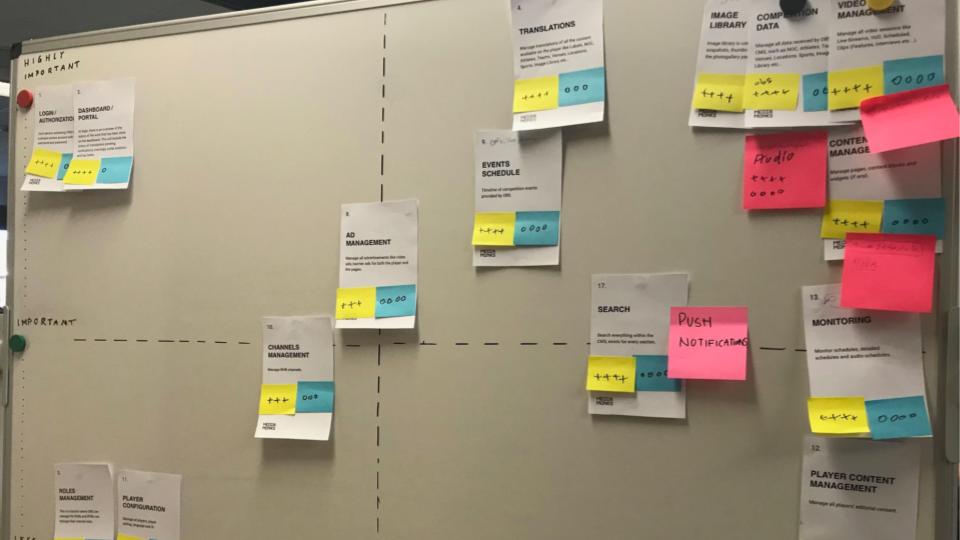
Prioritization Workshop: Session artifact mapping feature importance vs. frequency.
Activity #4: User interview
I interviewed a sports data operator who had worked with the previous CMS to understand how those features were used in practice. This helped map their end-to-end workflow and uncover key pain points, particularly around feature discoverability, navigation, and an unintuitive interface.
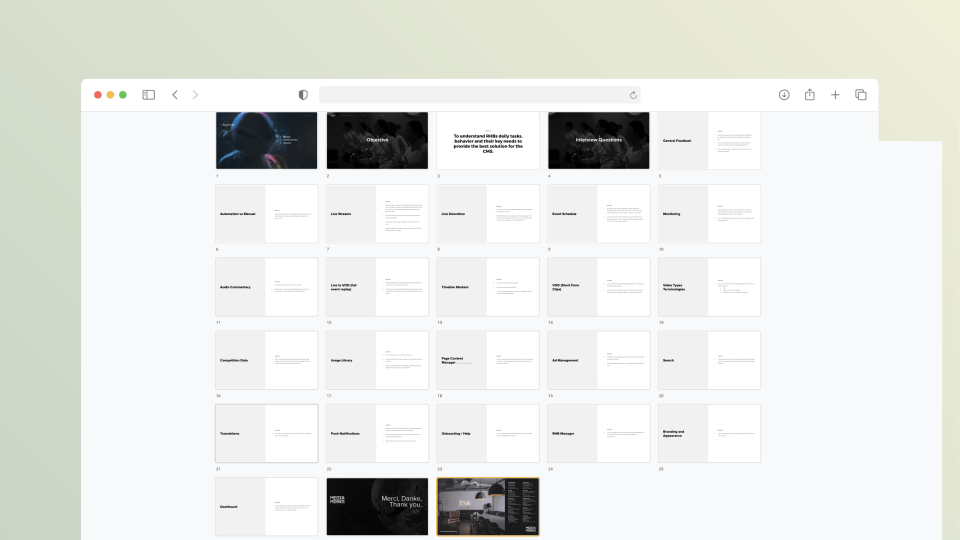
Key questions used during user interviews.
Strategy
To translate our discovery findings into a meaningful strategy, we mapped the end-to-end workflow of our sports data operators.
Sports data operators: User journey
Before the event: getting ready for live streaming
Viewing the schedule, filtering and grouping items, and assigning streams to team members.
User need
- Operators needed a quick way to organize a large number of upcoming streams, understand what needs attention, and make sure each stream is assigned to the right person before the event starts.
Events schedule MVP
- View, filter, and group scheduled streams, and assign them to team members ahead of the event.
During the event: monitoring the live streams
Monitoring streams assigned to me. Viewing a clear list of streams starting and ending soon to start and stop them at the right time.
User need
- Operators needed a clear visual overview of what was live, starting soon, and ending, so they could quickly take action without switching between streams.
Monitoring MVP
- A visual display of channels makes it easier to monitor multiple live streams at the same time.
Broadcast modal MVP
- The core functionality of the CMS. An operator needed to start and stop the broadcast at the right time to avoid video editing and trimming afterward.
After the event: editing a full event replay
Viewing media detail. Editing the session, units, and timeline marker of a full event replay. Finding the right thumbnail and checking that metadata is correct.
User need
- Operators needed to quickly turn a raw event recording into a publish-ready replay by editing its structure, timeline, thumbnail, and metadata in one place.
Video management MVP
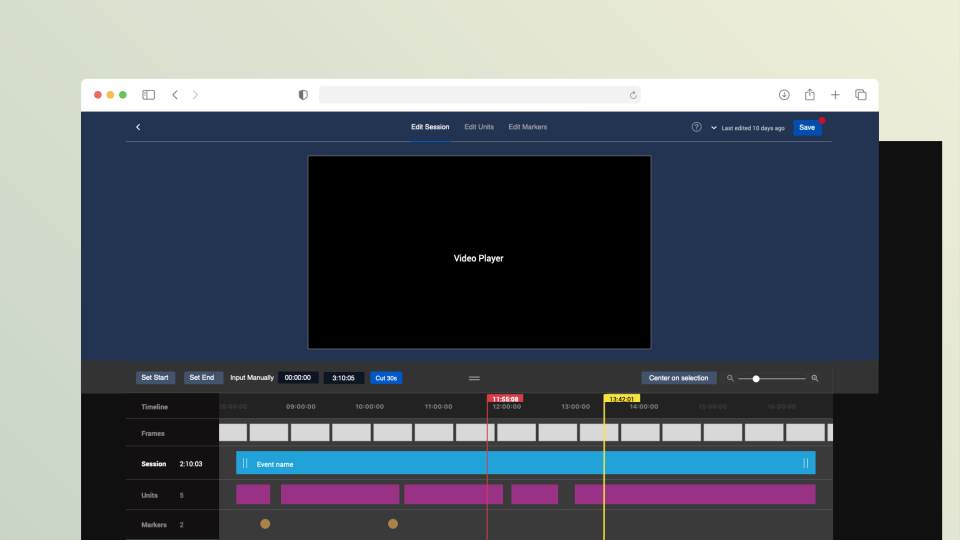
- Edit session, unit, and timeline markers for a full event replay, and set the right thumbnail and metadata.
Adding media files
Adding and uploading new media files like highlights, features, and photos. Assigning metadata to them and choosing a thumbnail for video files.
User need
- Operators needed a simple way to upload and prepare different types of media, while keeping metadata and thumbnails accurate and consistent.
Image library MVP
- Upload new media files, assign metadata, and choose a thumbnail for video files.
Managing content
Adding or removing content widgets from pages on the website. Managing content within the widgets and pushing certain content to the homepage or other sections.
User need
- Operators needed to manage and update content across the site from one place, so they could quickly publish, remove, or promote content without relying on technical teams.
Content management MVP
- Add or remove content widgets, manage content within them, and push content to the homepage or other sections.
- Competition data, audio commentary, and translations managed from the same workspace.
Sitemap
I categorized all features into logical sections based on discovery insights and the user journey map, simplifying the overall structure and ensuring effortless access to key workflows.
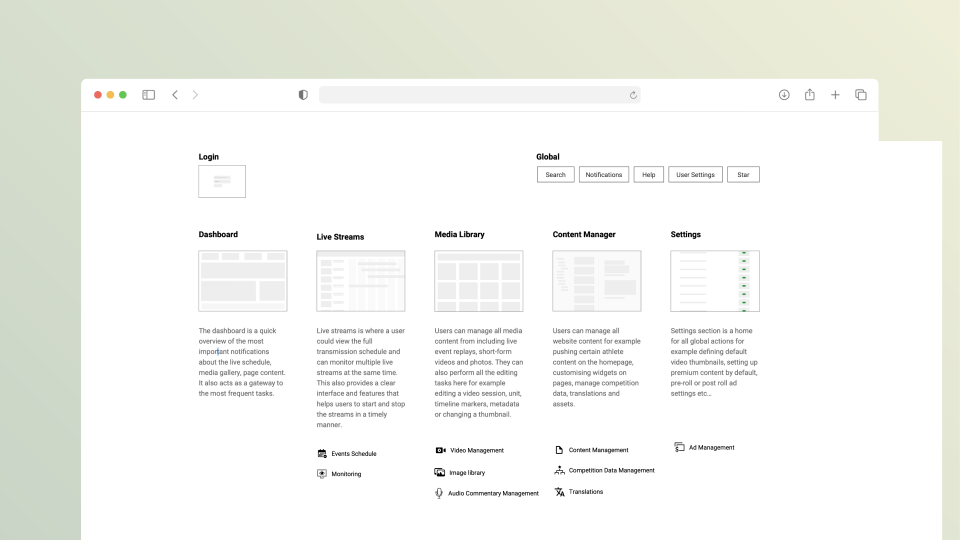
CMS features grouped into logical sections.
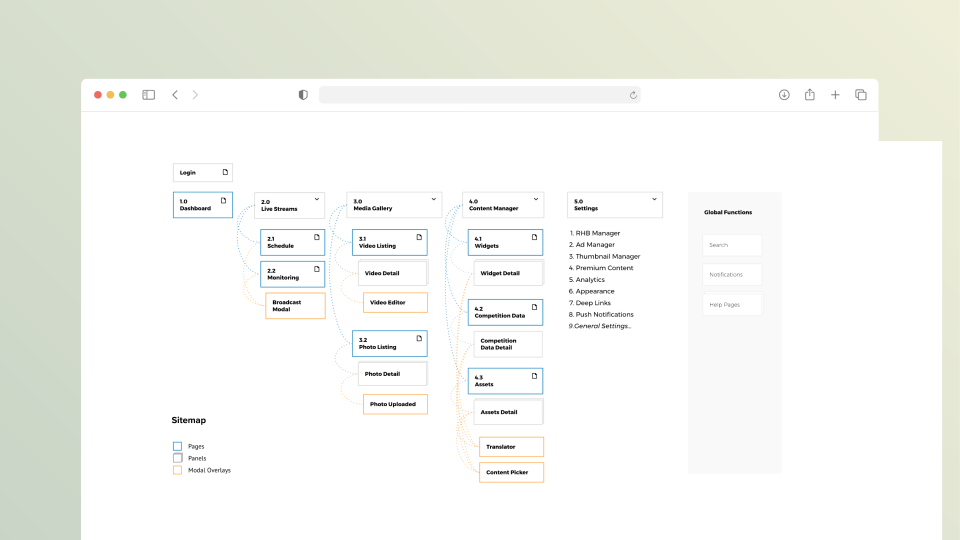
Sitemap of the CMS's main sections and pages.
Navigation Concept
Building on the sitemap, I structured navigation into three tiers based on priority and frequency:
- Quick Links: Persistent access to high-frequency actions like search and starred items.
- Primary Links: The core hub for daily CMS authoring and management workflows.
- Secondary Links: Dedicated space for low-frequency administrative tasks to keep the workspace clean.
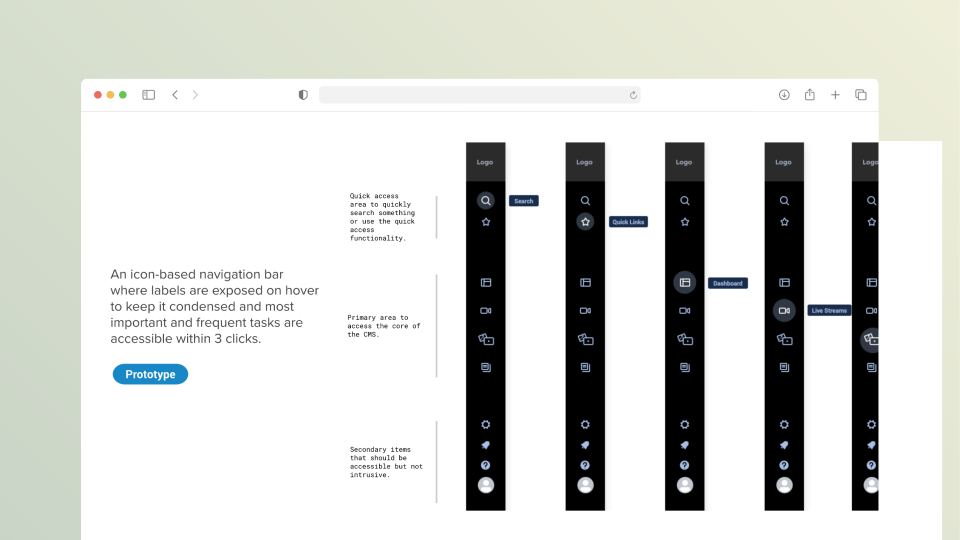
Navigation grouped into quick, primary, and secondary links.
Execution
I translated the navigation framework into low-fidelity designs.
Dashboard
The dashboard is a quick overview of the most important notifications about the live schedule, media gallery, and page content, also a gateway to the most recent and frequent tasks.
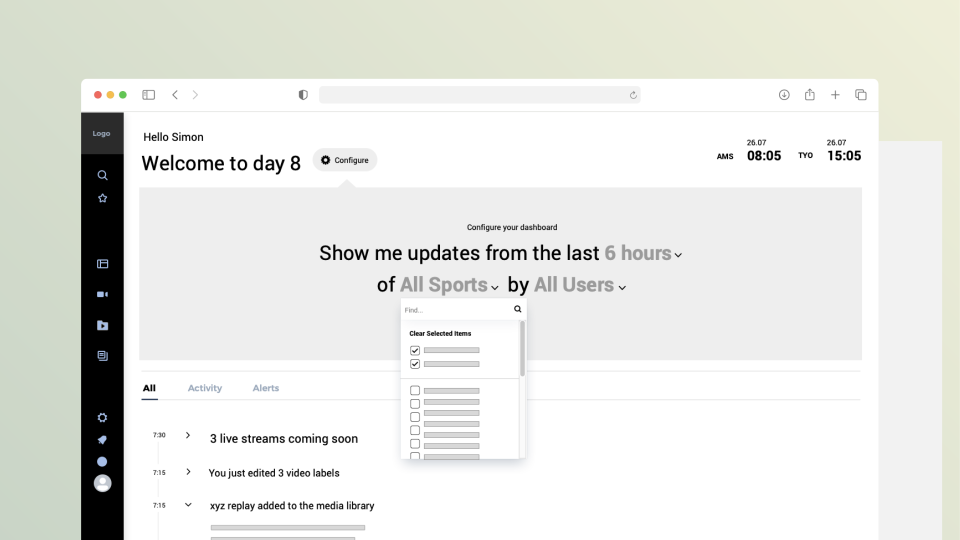
Schedule
Organize and manage live streams with flexible search, filtering, sorting, and viewing options.
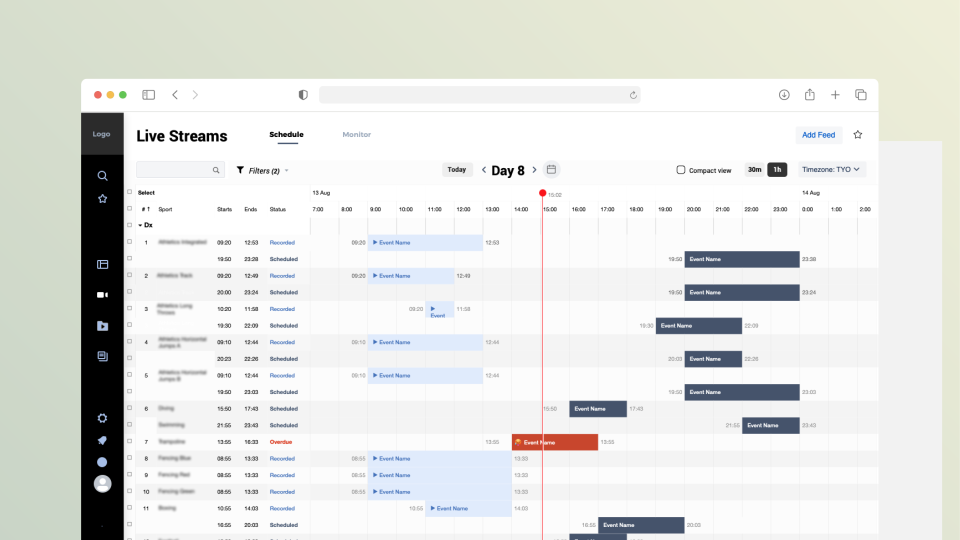
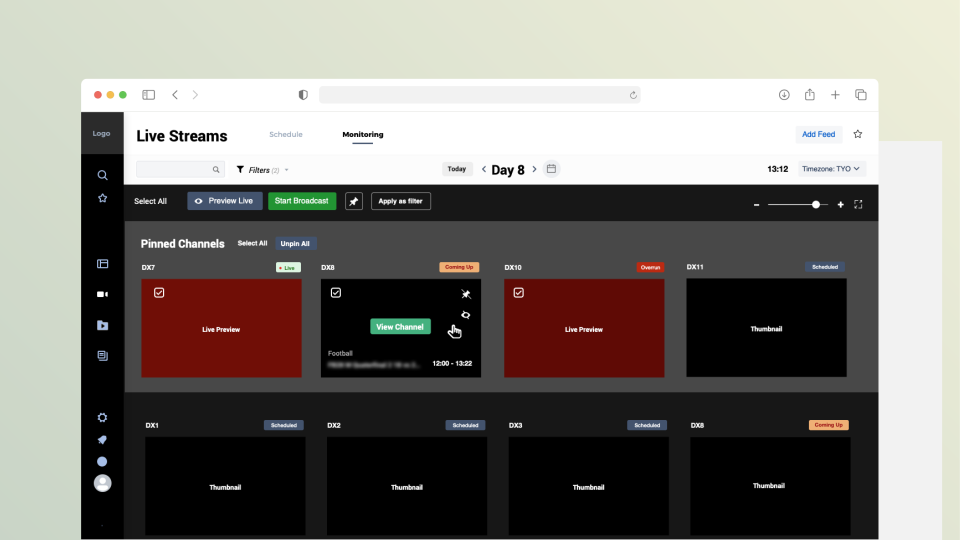
Monitoring
Monitor multiple live streams at once while keeping important channels in focus and quickly managing stream actions.
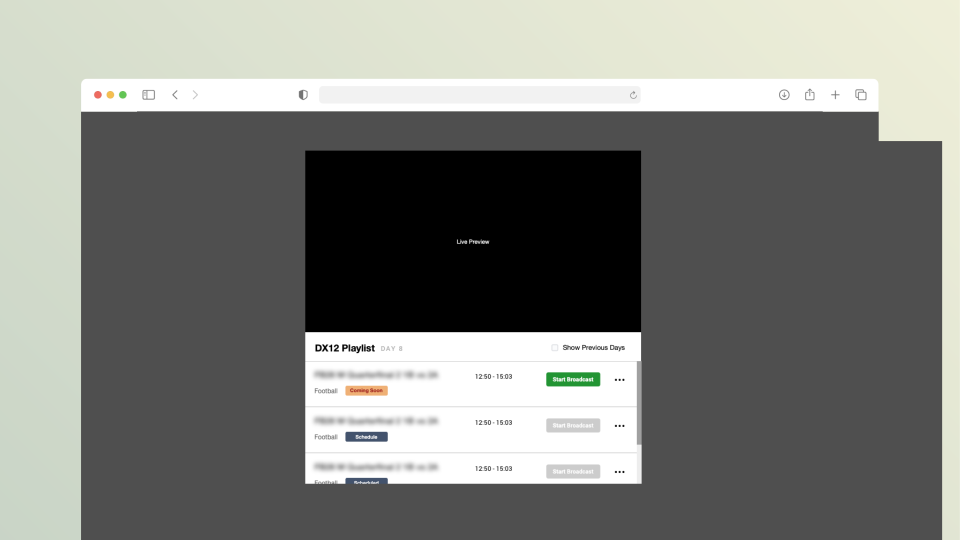
Broadcast Modal
Control live broadcasts with confidence using a live preview and channel playlist to start and stop streams at the right time.
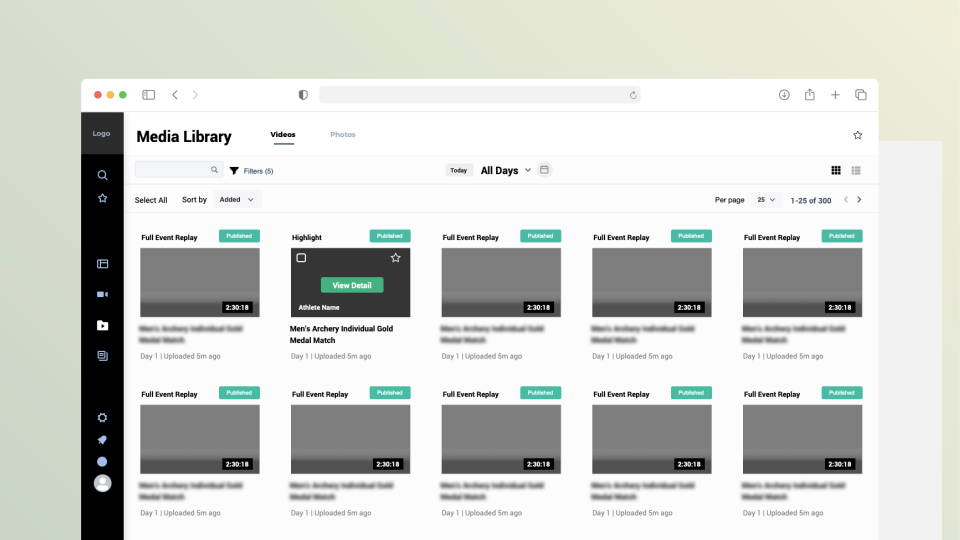
Media library
Quickly find, organize, and edit large volumes of event media with flexible search, filtering, sorting, and viewing options.
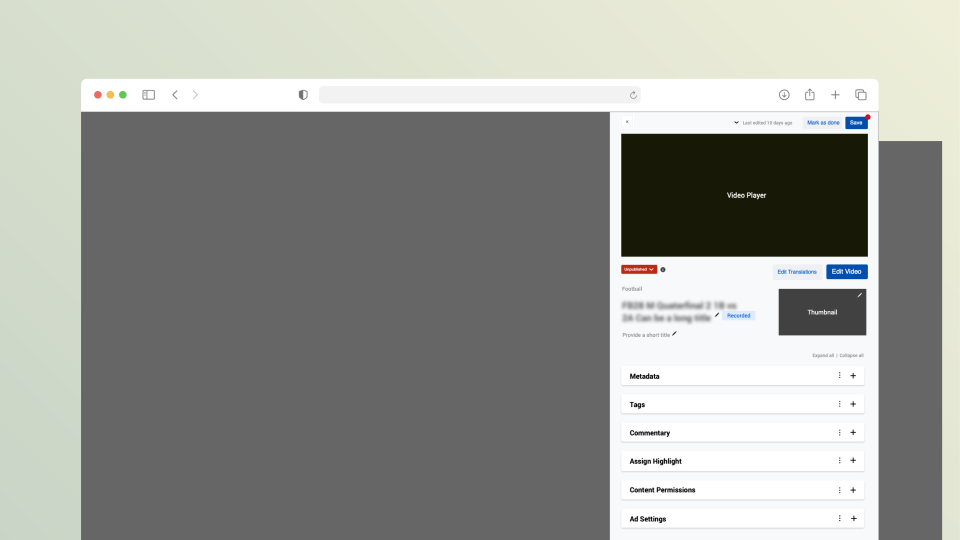
Media detail
View, preview, and edit media details and metadata without leaving the context of the media library.
Video Editor
Optimize full-event replays in one seamless interface, with tools to adjust timing, organize chapters, and manage key moments.
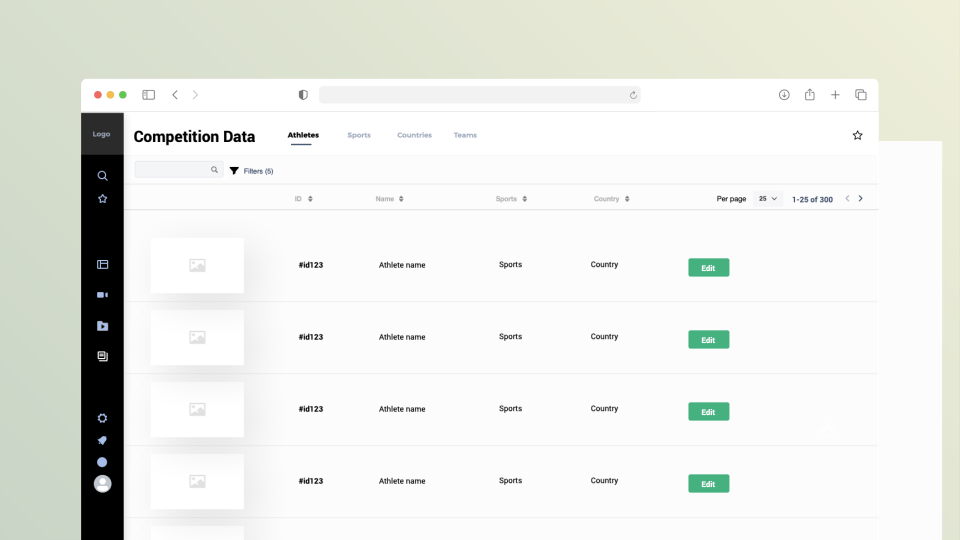
Content manager
Manage and customize sports content, including athletes, teams, countries, and sports, from one centralized place.
Results & reflection
Post-launch, we gathered feedback from live-ops operators through the game season to see how the CMS held up under real conditions:
“The CMS was genuinely a joy to use.”— Representative operator feedback, Tokyo 2020 Olympic Games
Key learnings
- Adapting the design process: Maintaining Sketch files became increasingly difficult for data-heavy screens. I switched to designing these screens in Numbers, which made it easier to work with and manage the data-heavy designs.